
Your errands, delivered
Write it once.
It finds you later.
Type it the way you'd say it out loud. Paloma catches the when and the where.
A demonstration of Paloma reading a typed reminder. It shows sentences such as “get flowers when leaving work tomorrow” and pulls out the time, the place, and whether to fire on arriving or leaving.

7-day free trial, then $49.99 a year.
Four things it reads out of one sentence.
You write a line. Paloma pulls the reminder out of it — no fields, no pickers, no menus.
Times, in plain words
Tomorrow, tonight, next Tuesday, at half six — however you'd say it out loud.
pay rent on the 1stPlaces you already name
Home, work, the gym, the pharmacy. Save a place once, use it forever.
refill my script at the pharmacyArriving, or leaving
Milk matters on the way home. Locking up matters on the way out.
grab my badge when leaving homeThings that come back
Every Monday, every morning, every two weeks. Set it once.
bins out every Sunday nightThen it waits, however long that takes.
A reminder set at breakfast is no use at breakfast. Paloma carries it until the moment it matters — and that moment is usually somewhere else entirely.
You write it
“get flowers when leaving work” — one line, at 8 in the morning.
It waits
All day, out of the way. No badge, no buzz, no list to re-read.
It finds you
5:42pm, the second you step out of the office — while there's still a florist open.
It fires on the doorstep, not on a guess.
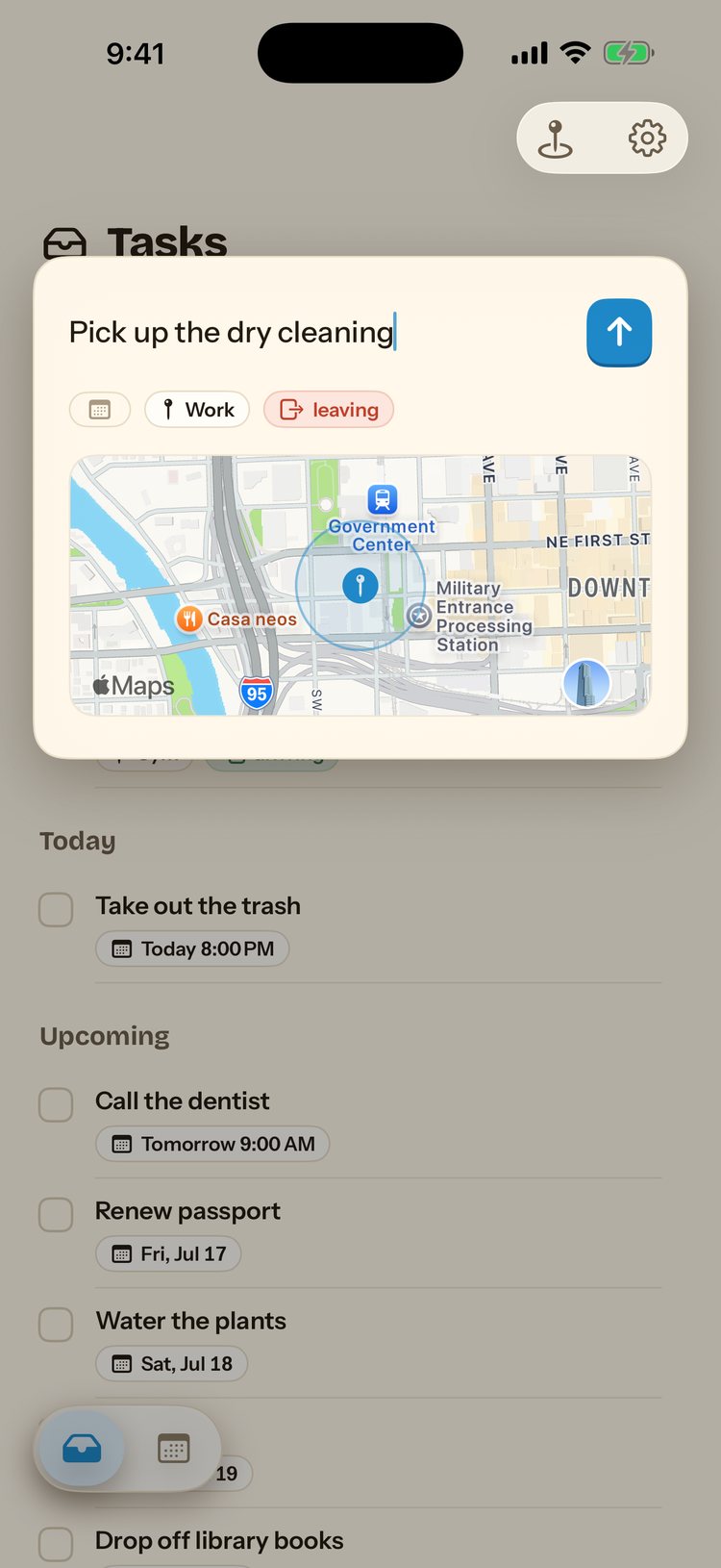
Paloma draws a circle around a place and watches the edge. Cross it in the direction you asked for, and the notification arrives.

Palomanow
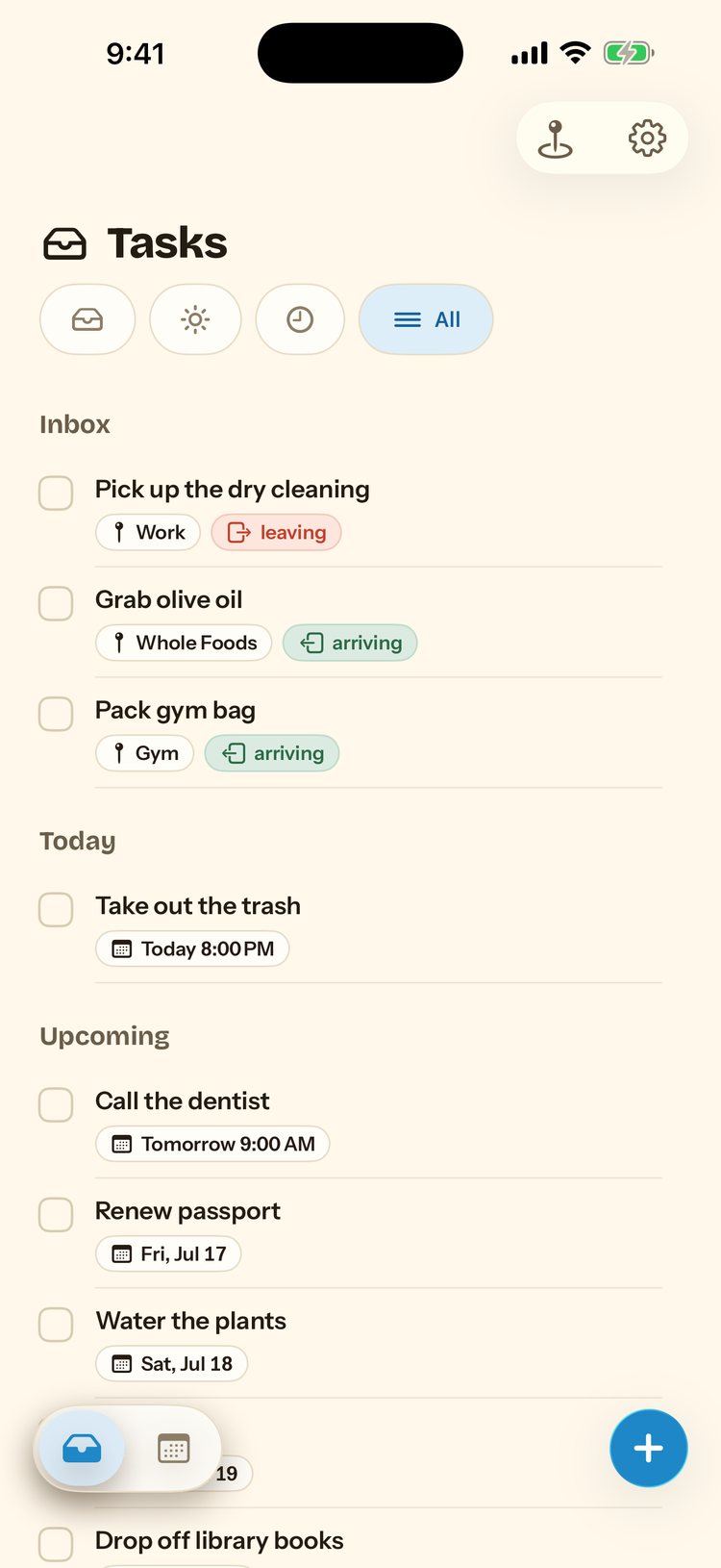
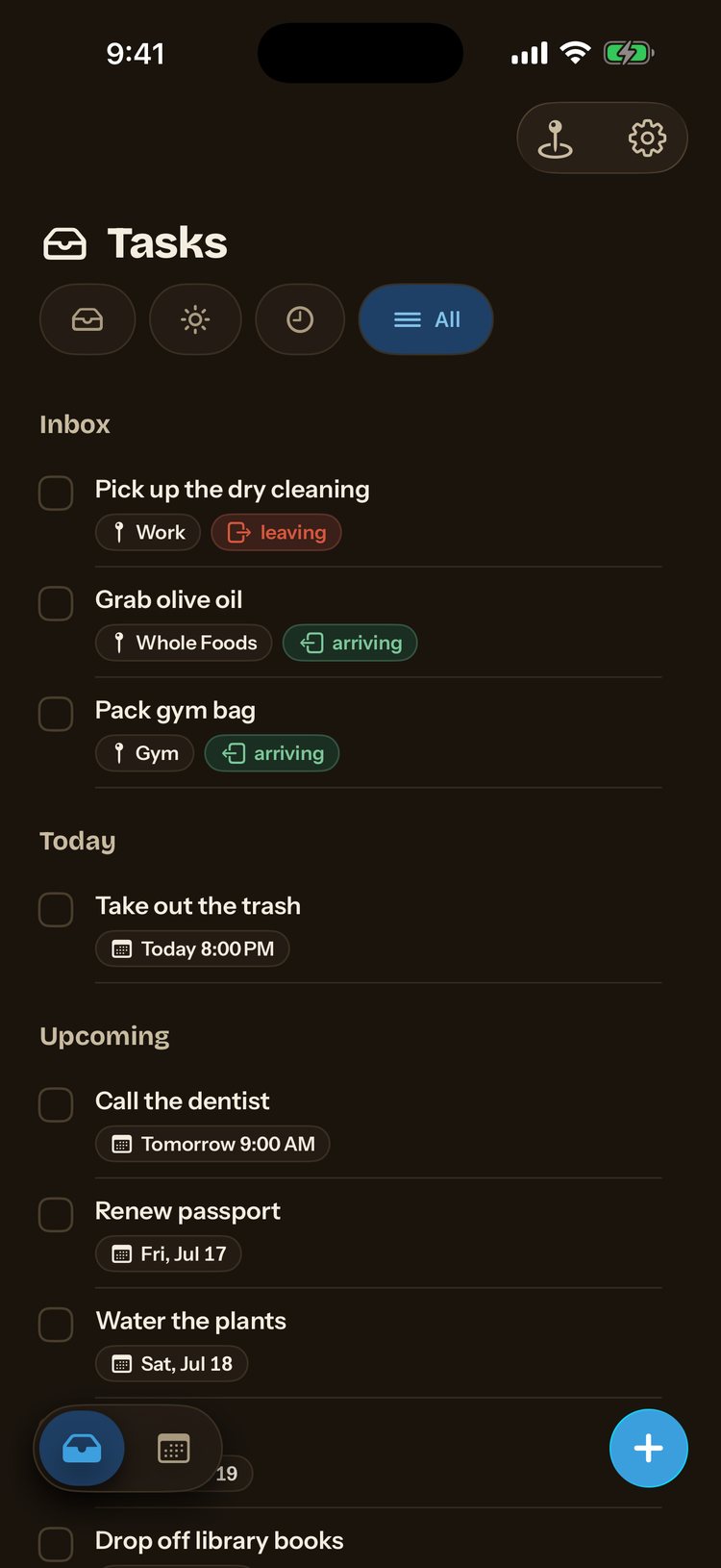
Take the bins outArriving at HomeOne calm calendar.
Everything you've saved lives in one view, organised by day, so nothing slips through.

Nothing leaves the device.
Location is the most sensitive thing a phone knows about you, so Paloma never sends it anywhere. Geofences are registered with iOS and evaluated on your iPhone.
- No account, no sign-up, no email
- No server to send your coordinates to
- Apple's own frameworks do the watching
One price, everything included.
$49.99
a year, after the trial
Start the free trialMonthly $14.99 · Weekly $7.99 · Cancel anytime
Do I need an account?
No. Paloma has no sign-up and no account, everything stays on your device.
Does location tracking drain my battery or send data anywhere?
Location processing happens entirely on your iPhone using Apple's own frameworks. Your coordinates are never sent to a server.
What does Paloma cost?
A 7-day free trial, then $49.99 a year. Monthly ($14.99) and weekly ($7.99) options are also available.
Can I cancel anytime?
Yes. Manage or cancel your subscription anytime from your App Store account settings.
What devices does Paloma support?
Paloma is built for iPhone.

Give your memory a rest.
Download Paloma and stop chasing forgotten errands.
Get Paloma on iPhone7-day free trial, then $49.99 a year. Cancel anytime.
Coming from Apple's built-in app? See how Paloma compares.